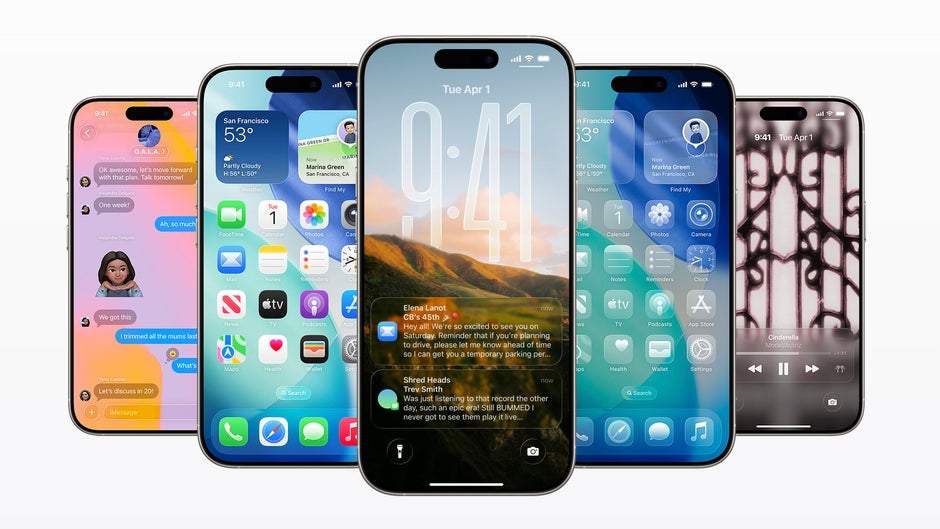
Apple didn’t say “sorry” at WWDC 2025 but every feature redesign said it for them. From the Photos app fix to real multitasking in iPadOS 26, 2025 is the year Apple cleaned up its mess. Dive into what changed and why it matters.
Apple is known for leading the future, setting trends, and making us believe in magic with every one more thing. But this year, something felt different. At WWDC 2025, Apple didn’t chase the next big thing. It turned around, looked back and started cleaning up the mess.
And let’s be honest, some of that mess was long overdue.
The Photos App What went wrong
That “modern” redesign took something functional and turned it into a confusing maze. It didn’t make memories easier to find. It made you want to stop taking photos altogether.
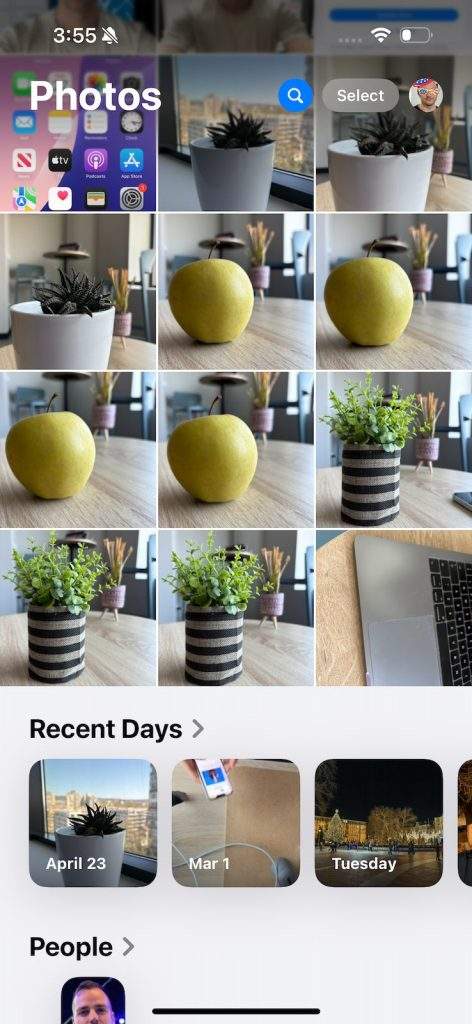
Now, iOS 19 brings a complete rethink. But Apple didn’t call it that. Officially, it’s just part of the sleek new Liquid Glass theme. Unofficially? It’s a rollback. A reversal. A fix.
You now get just two simple tabs Library and Collections. Open the app, and your recent photos are right there. No clutter. No chaos. Just photos.
It’s the clean, simple experience we used to love. “Such a quick rollback gives me some serious Apple Maps mislaunch flashbacks.” And that says it all.
iPadOS Finally Grows Into Its Power
Stage Manager. Sounds fancy, right? It was supposed to make multitasking on the iPad feel powerful. Instead, it made users feel like they were wrestling with floating windows, ghost docks, and controls that seemed to have a mind of their own.
“Stage Manager was Apple’s attempt to reinvent multi-tasking… But it just confused everyone, including tech reviewers.”
Nobody liked it. Not on iPads. Not even on Macs.
Enter iPadOS 26 and this time, Apple gets it right. We now have proper multitasking: window snapping, a real mouse pointer, and workflows that just work. It finally feels like you can use the iPad Pro for what it’s capable of not just as a bigger iPhone, but as a legitimate productivity tool.
Stage Manager? Still there, technically. But in the latest beta, “it’s even hidden and not on by default.” Take the hint.
Files App Matures 7 Years Later
A real file manager isn’t a folder. It’s a tool. Apple’s Files app, until now, was more vibe than function.
In iPadOS 26, it finally earns its stripes.
Now we get list views, file details, and yes double-click previews that feel like a little piece of macOS. Editing photos and PDFs happens right inside the app. You can even pin folder shortcuts to your desktop.
And here’s the real shocker: “you can get these sort files by date created, date modified, or size.” Welcome to 2025, Apple. Took you long enough.
Genmoji 2.0: Emojis That Make Sense Again
When Apple first introduced Genmoji, it promised emoji without limits. Want a duck with sunglasses riding a skateboard? Sure, generate one. And yet it felt off.
“Emoji aren’t powerful because they’re limitless. They’re powerful because they aren’t.”
That unpredictability and that challenge of expressing yourself with just a few symbols is what made emoji fun in the first place.
With Genmoji 2.0, Apple course-corrects. Now, you can blend two or more existing emojis to create something fresh like Google’s Emoji Kitchen. It’s still creative, but now it feels grounded again. It’s emoji jazz, not emoji jazz fusion.
The Real Message? Apple’s Listening (Quietly)
Apple never says sorry. But WWDC 2025 said plenty in the form of polished redesigns, feature reversals, and subtle acknowledgments.
“This year’s WWDC wasn’t about brave leaps into the unknown. It was about crawling back from a few of those leaps.”
No one stood on stage and said, “we got it wrong.” But every part of iOS 19 and iPadOS 26 says exactly that. And maybe that’s better. No drama. Just action.
Final Thoughts
In 2025, Apple didn’t try to wow us with wild concepts or AI vaporware. It delivered fixes. Smart changes. Products that make more sense than they did last year.
“Every interface tweak, every design reversal, every quiet deletion of a failed feature was a soft-spoken ‘Oops, let’s try that again’.”
And maybe, just maybe, Apple is learning to listen more not just to applause, but to the frustration in between the lines.
Here’s hoping this is the start of a new chapter. Where Apple still leads, but also adapts. Where it’s not just about what’s next but what’s right.