Samsung alerts 40 million Galaxy users in the UK to activate new anti-theft features in One UI 7, boosting phone security against theft.
Samsung is stepping up its game in the UK with a bold, nationwide campaign aimed at raising security awareness among Galaxy smartphone owners. This week, over 40 million Galaxy users will receive an urgent safety message urging them to activate powerful new anti-theft features introduced with the One UI 7 update.
This massive effort supports the UK Home Office’s fight against the rising tide of phone theft. Samsung is shining a spotlight on its advanced, multi-layered security tools designed to protect users and their personal data, especially in risky situations.
A Nationwide Safety Alert Like No Other
The alert is being sent out through the Samsung Members app and multiple other channels, reaching millions of Galaxy users all over the UK. The campaign’s impact goes beyond the digital space; you’ll see it on huge screens at London’s Piccadilly Lights, in train stations, tube (metro) stops, and across social media platforms and online videos.
The message is simple and urgent: if you own a Galaxy phone and have updated to One UI 7, it’s time to turn on Theft Protection.
Annika Bizon, Samsung UK’s VP of Mobile Experience, shares:
“We must do everything we can to ensure the safety and security of our customers when they are using their mobile devices… We’re in constant collaboration with our partners across the industry, to look at new and existing solutions to help combat this complex issue.”
What Exactly is Samsung Theft Protection?
Samsung’s Theft Protection is a suite of cutting-edge anti-theft tools built on top of Android’s standard protections like Google’s Find My Device. It first debuted with the Galaxy S25 series earlier this year and is now rolling out to many older Galaxy models through the One UI 7 update and Knox Security Platform.
Here’s what’s included:
New Anti-Robbery Features in One UI 7
- Identity Check: Requires biometric authentication when making sensitive security changes in unfamiliar places.
- Security Delay: Adds a 1-hour wait before biometric setting changes take effect, giving users a window to remotely lock their device and regain control.
Existing Powerful Anti-Theft Upgrades
- Theft Detection Lock: Uses machine learning to spot snatching motions and locks the screen immediately.
- Offline Device Lock: Locks your phone automatically if it loses internet connection for a long time.
- Remote Lock: Lets you lock your phone remotely using just your number and a quick verification step. You can also display a custom message on the lock screen and explore recovery options.
These protections are now live on popular models including the Galaxy S22, S23, S24, and S25 series, the Galaxy Z Flip 5/6, Galaxy Z Fold 5/6, and many others receiving the One UI 7.0 update throughout 2025.
Easy Setup to Keep Your Phone Safe
Samsung has released a step-by-step setup guide to help users activate these features and keep their Galaxy phones protected. The guide covers how to lock or erase your phone remotely, track it with a Galaxy Watch or Find My Device, and update your account credentials if your phone is lost or stolen.
Samsung also recommends creating a PIN and a recovery message via the Samsung Find website, just in case you need it in an emergency.
For detailed instructions, visit Samsung UK’s support site or reach out to their customer support.
Theft Protection Beyond Samsung
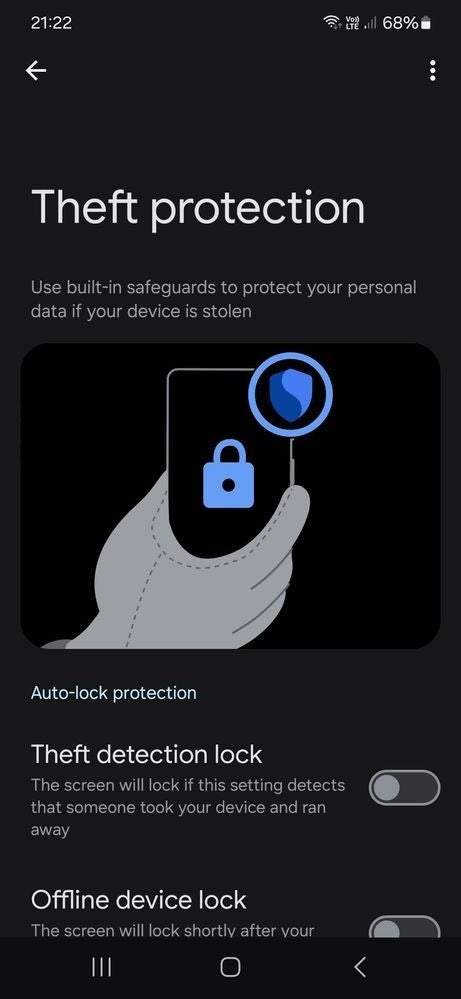
- Google Pixel phones include Theft Detection Lock (which uses AI and motion sensors to detect snatching) and Offline Device Lock.
- Apple’s Stolen Device Protection demands biometric checks before critical actions like disabling Lost Mode or erasing the device in unfamiliar locations.
- Motorola offers Security Scan (using AI to find malware and vulnerabilities) and Phishing Detection (to warn against suspicious links and sites).
Samsung isn’t alone in this. Other major phone brands are rolling out their own anti-theft features: